Orven App
Energy Control. In One Application.
Monitor system status, manage settings, receive notifications, set up automation when necessary.


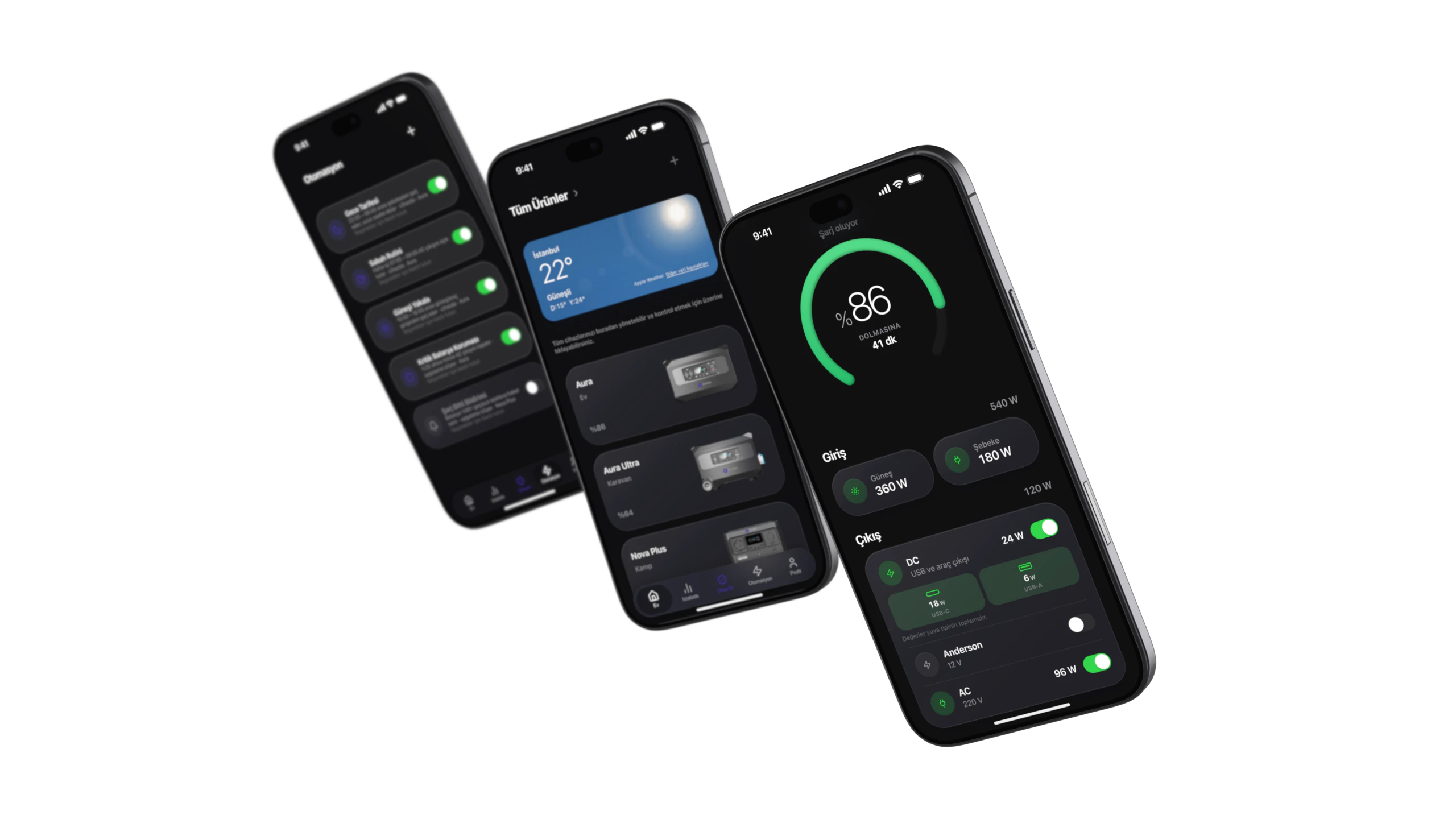
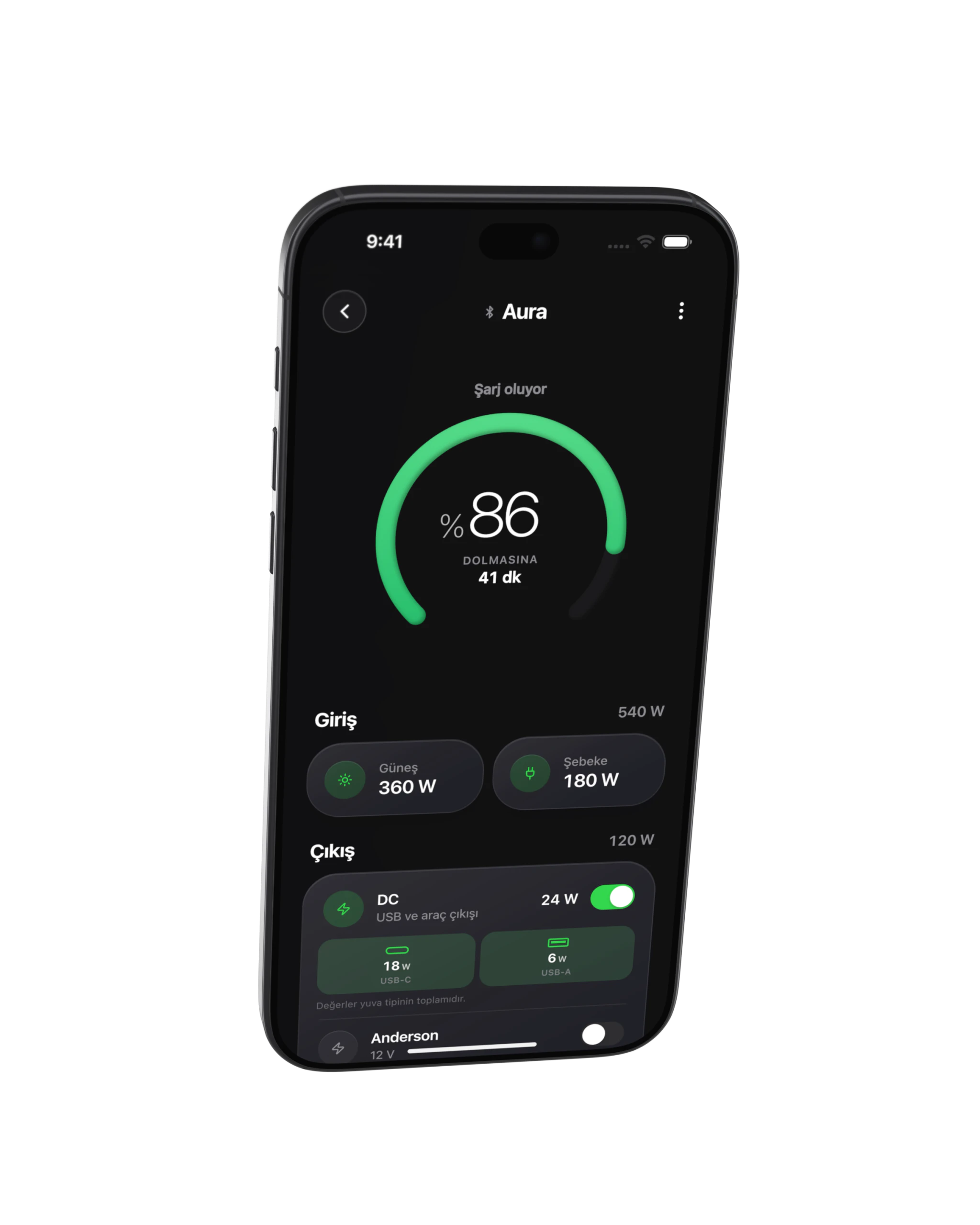
Real-time monitoring
remote control
Wi-Fi / Bluetooth connection
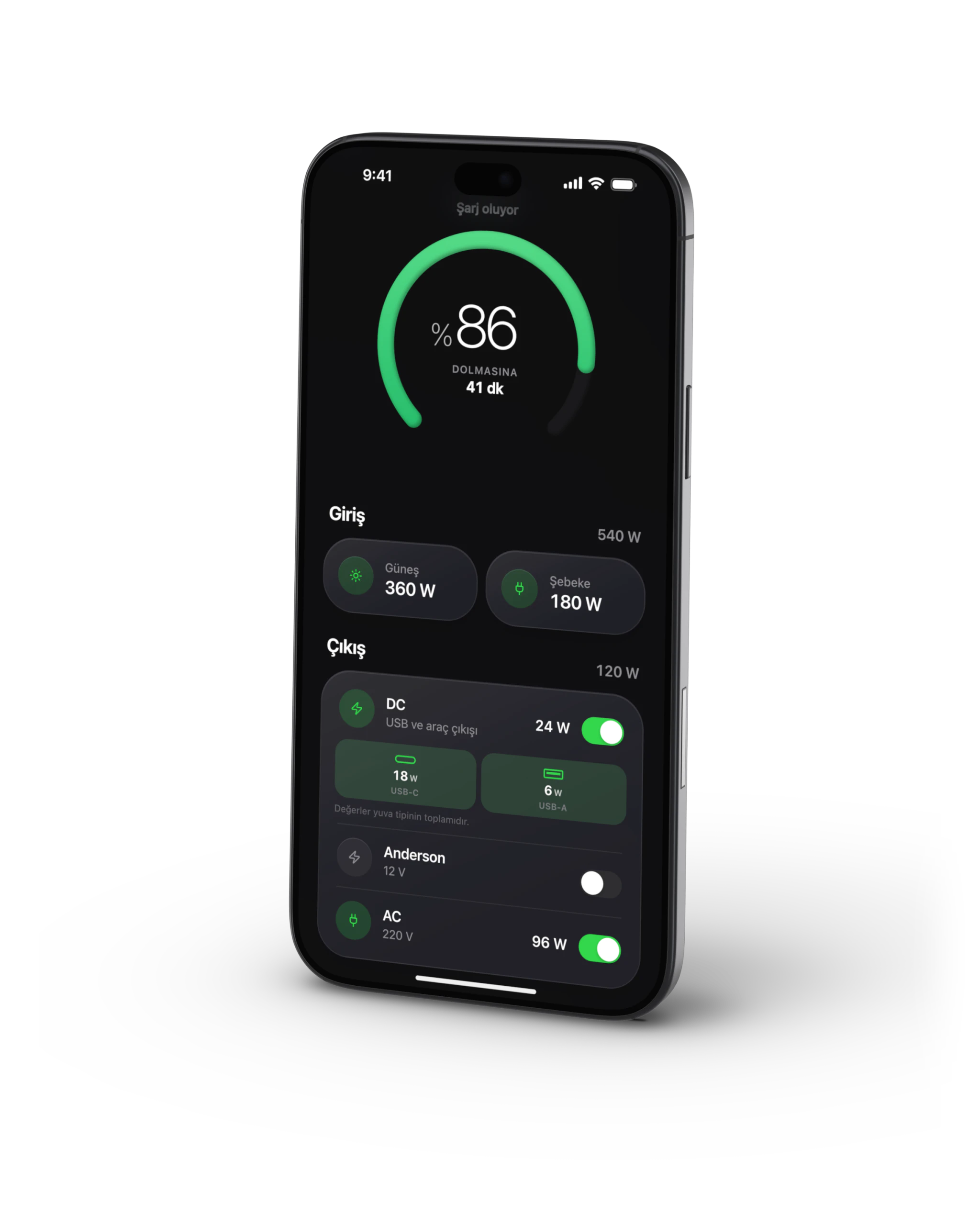
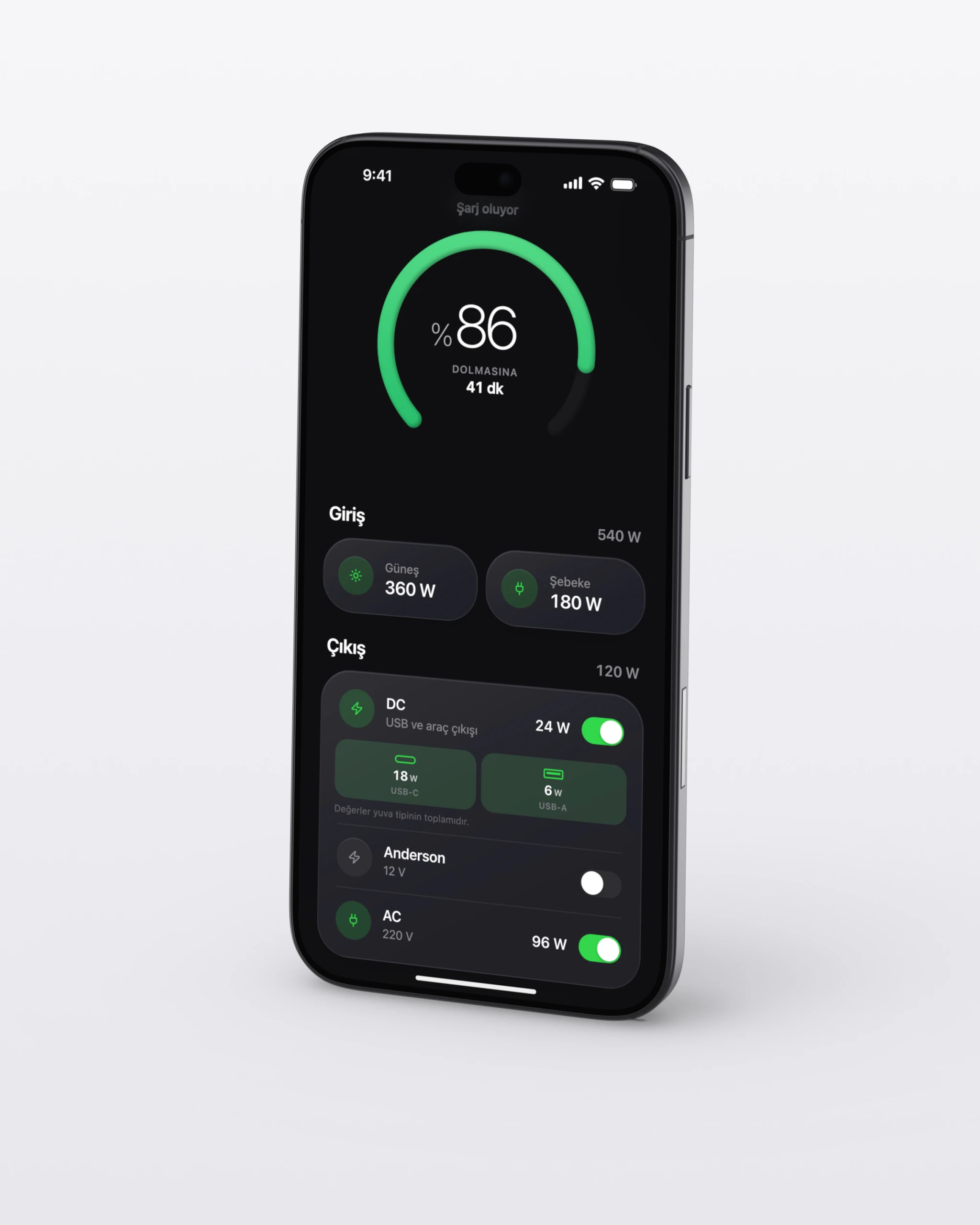
Control Center
Instantaneous power flow
Battery level & health
Charge/Discharge profiles
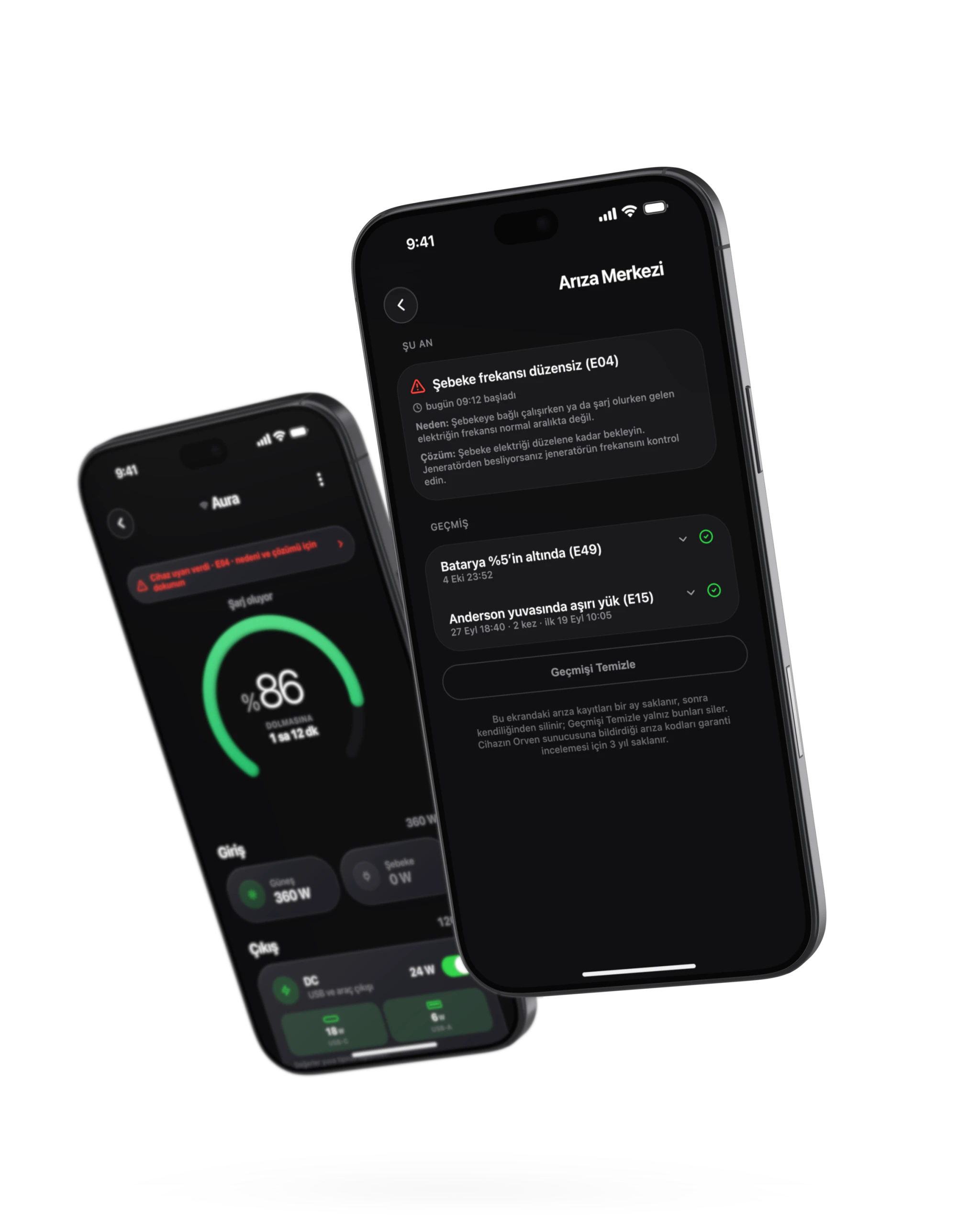
Smart alerts
From within the application
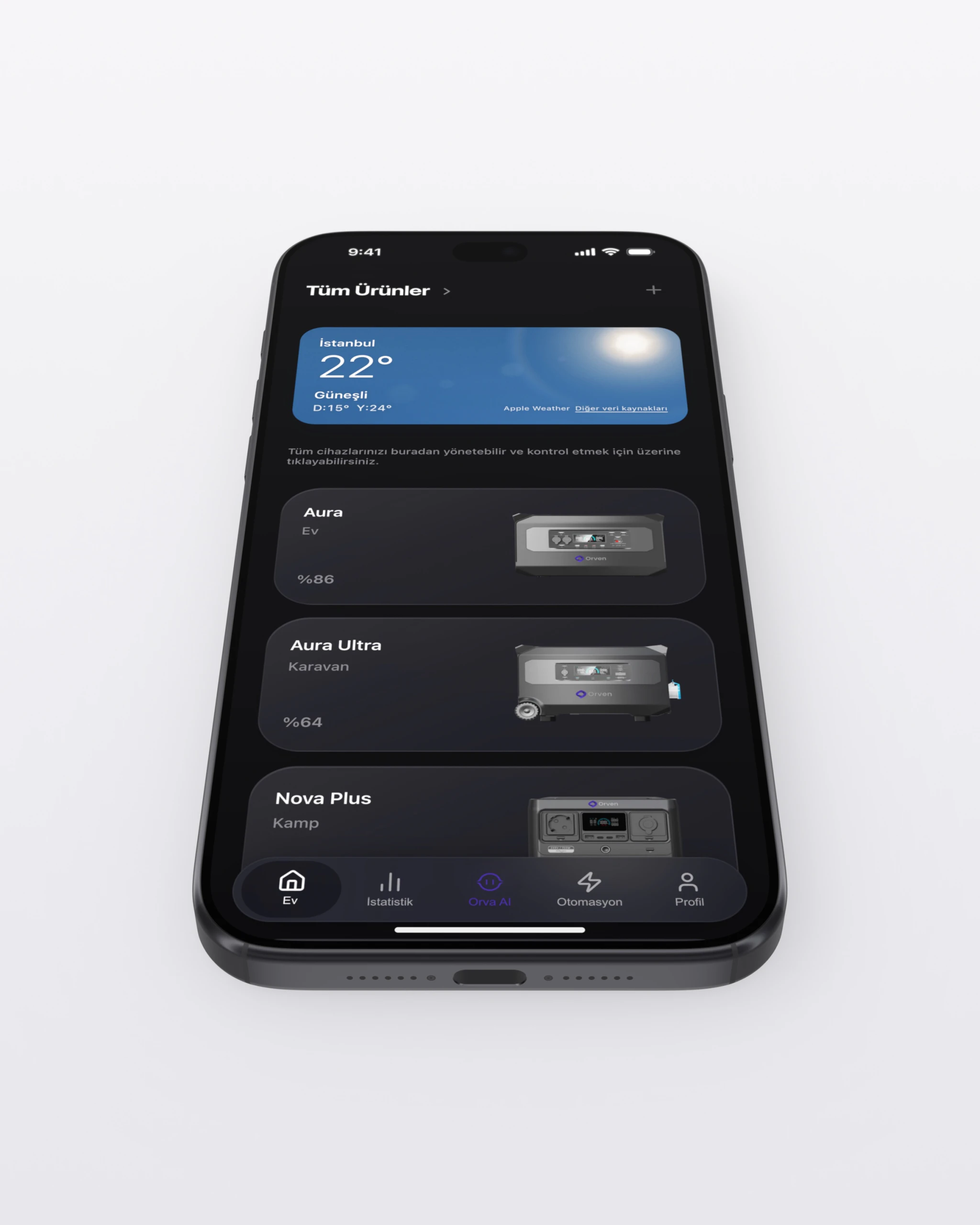
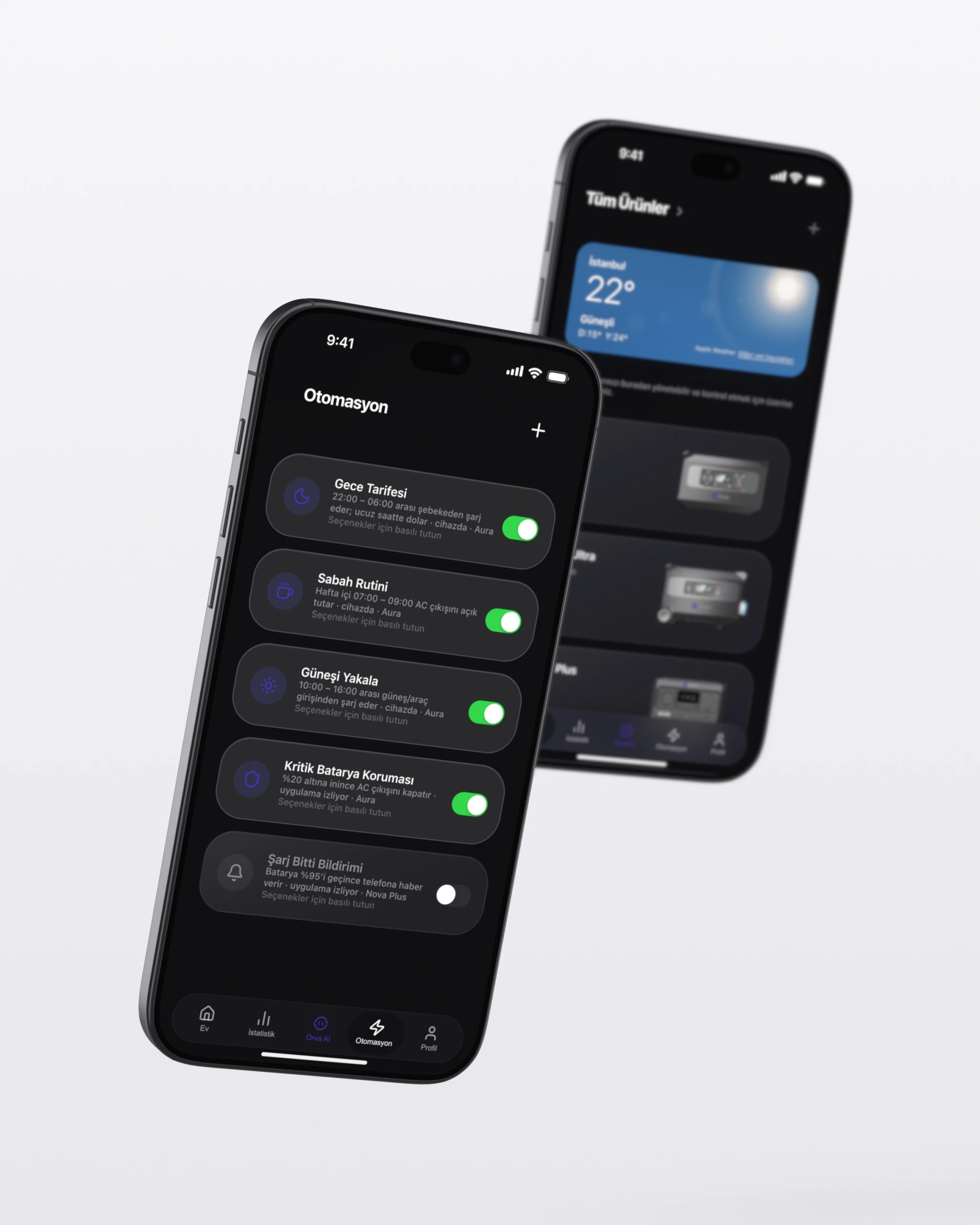
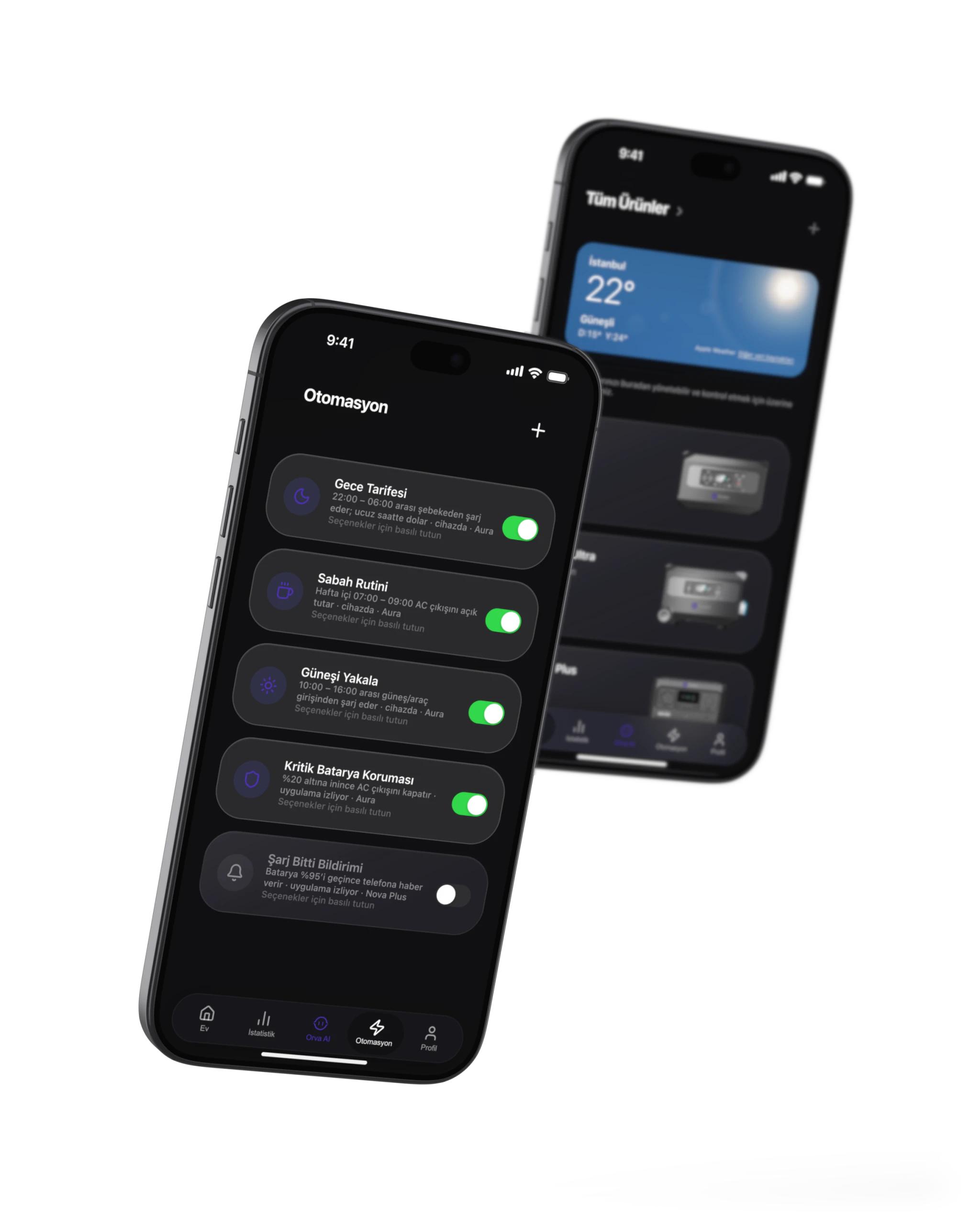
Energy automated with scenarios
Night mode: Quiet and balanced
Interrupt mode: Critical load priority
Sun mode: Maximum self consumption
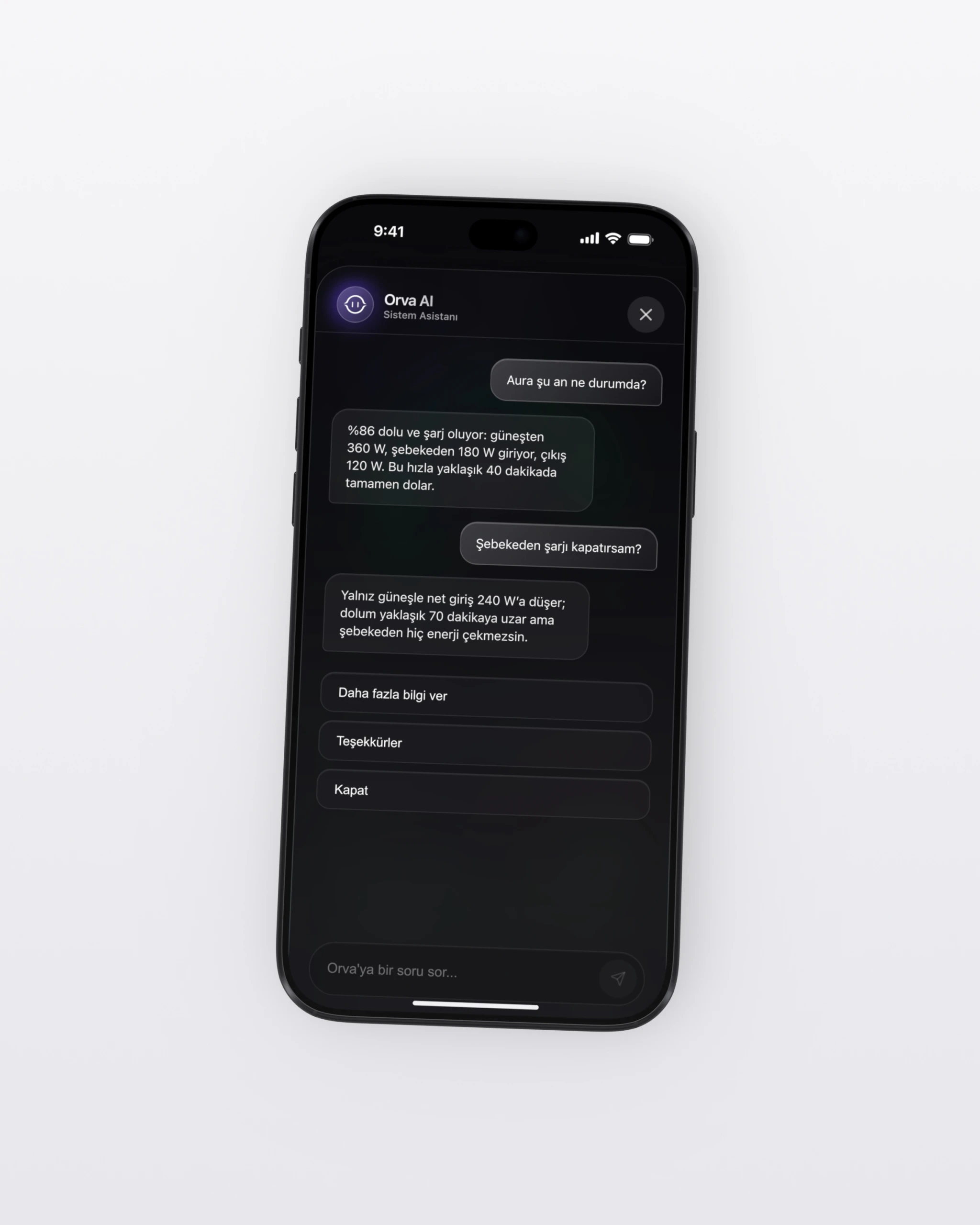
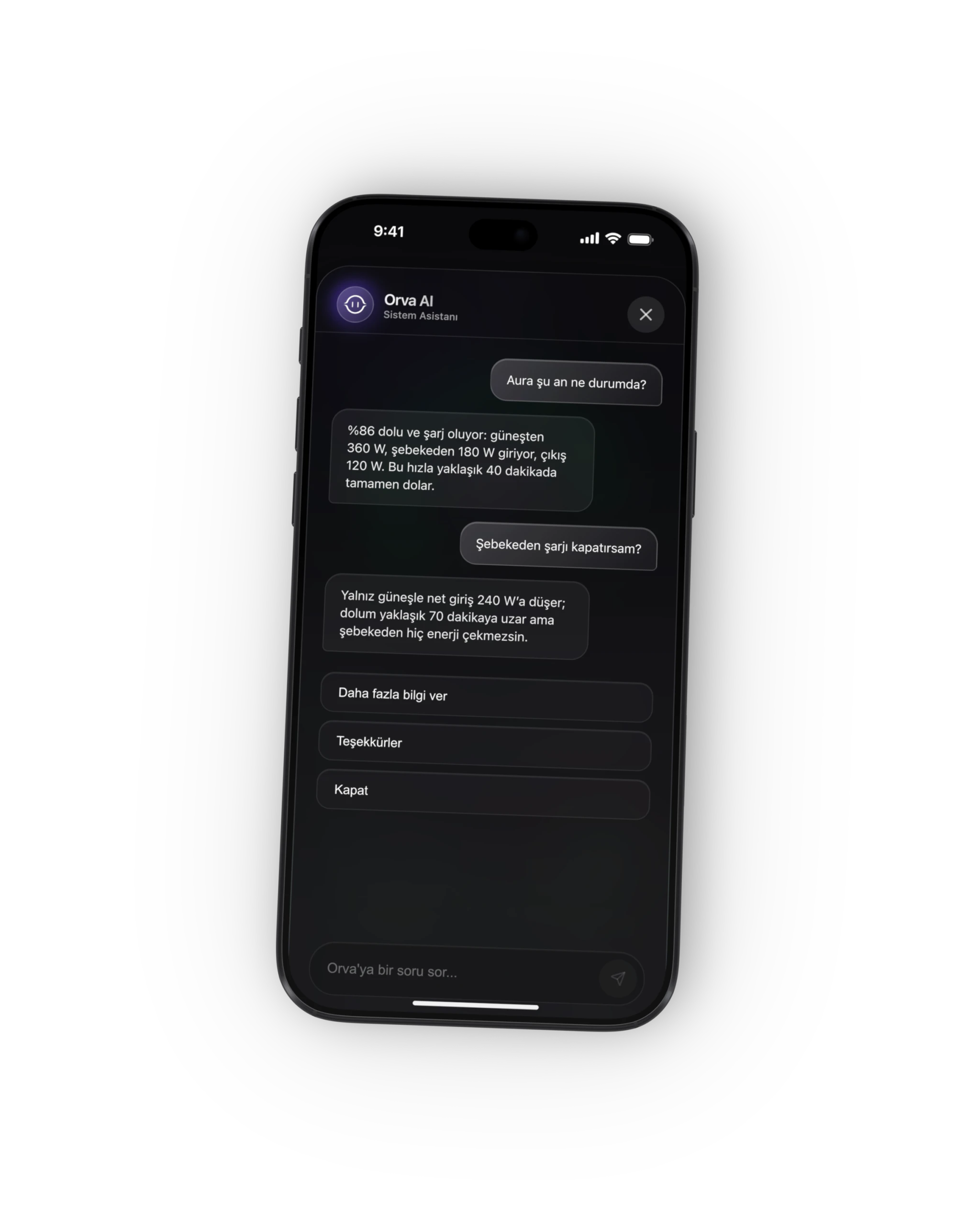
Talk to Orva AI
Orva, the AI assistant in the app, answers your questions using your device's live readings: how long until it is full, how much power is coming from each source and what happens if you change a setting.
- Live status and time to full
- Fault code explanations
- Impact of setting changes
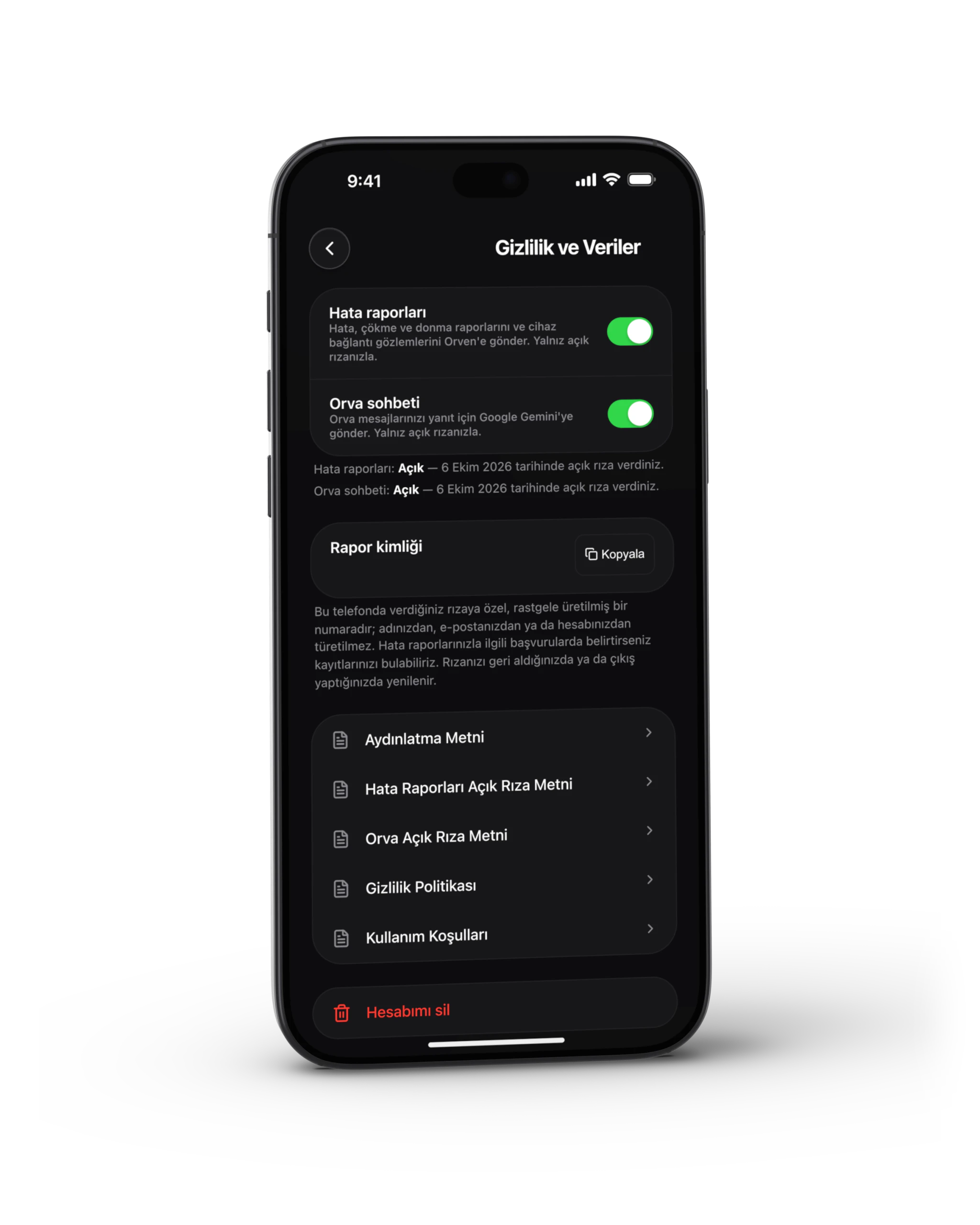
- Works only with your permission
Don't miss what's important
Error, warning, disconnection and network outage notifications on a single screen.
- Error alerts
- Maintenance reminders
- connection status
- Network outage notification
Works even if there is no internet
Direct access to the device via Bluetooth and local connectivity (supported features may vary by model).
Supported features may vary depending on the product model.
Download the app
You're in control on iOS and Android.
Frequently Asked Questions
- What can I watch with the application?
- You can monitor power flow, battery level, charge/discharge status, production and consumption data and system health information in real time.
- How do notifications work?
- The application can send push notifications on important events such as errors, warnings, maintenance reminders and connection status (manageable from settings).
- What happens when there is no internet?
- Basic monitoring and control can be performed on supporting devices by connecting via Bluetooth or local network. Feature set varies by model.
- Can I add multiple devices?
- Yes. You can add more than one Orven device to your account and manage them all via a single application.
- How do I reach service support?
- Service Form You can create a request via or Contact You can reach us on our page.